Entropy Is

July 2nd, 2008 by Tim

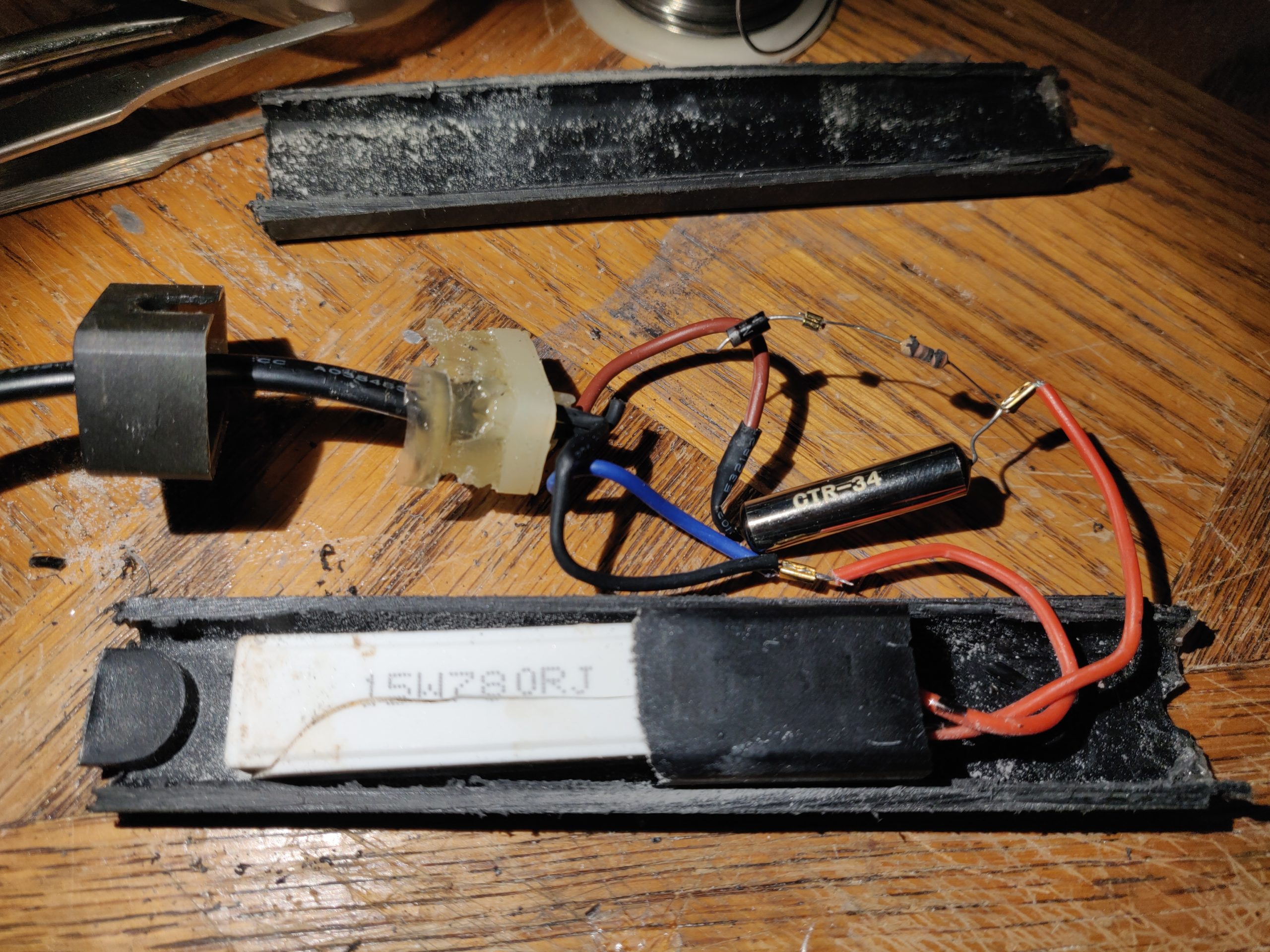
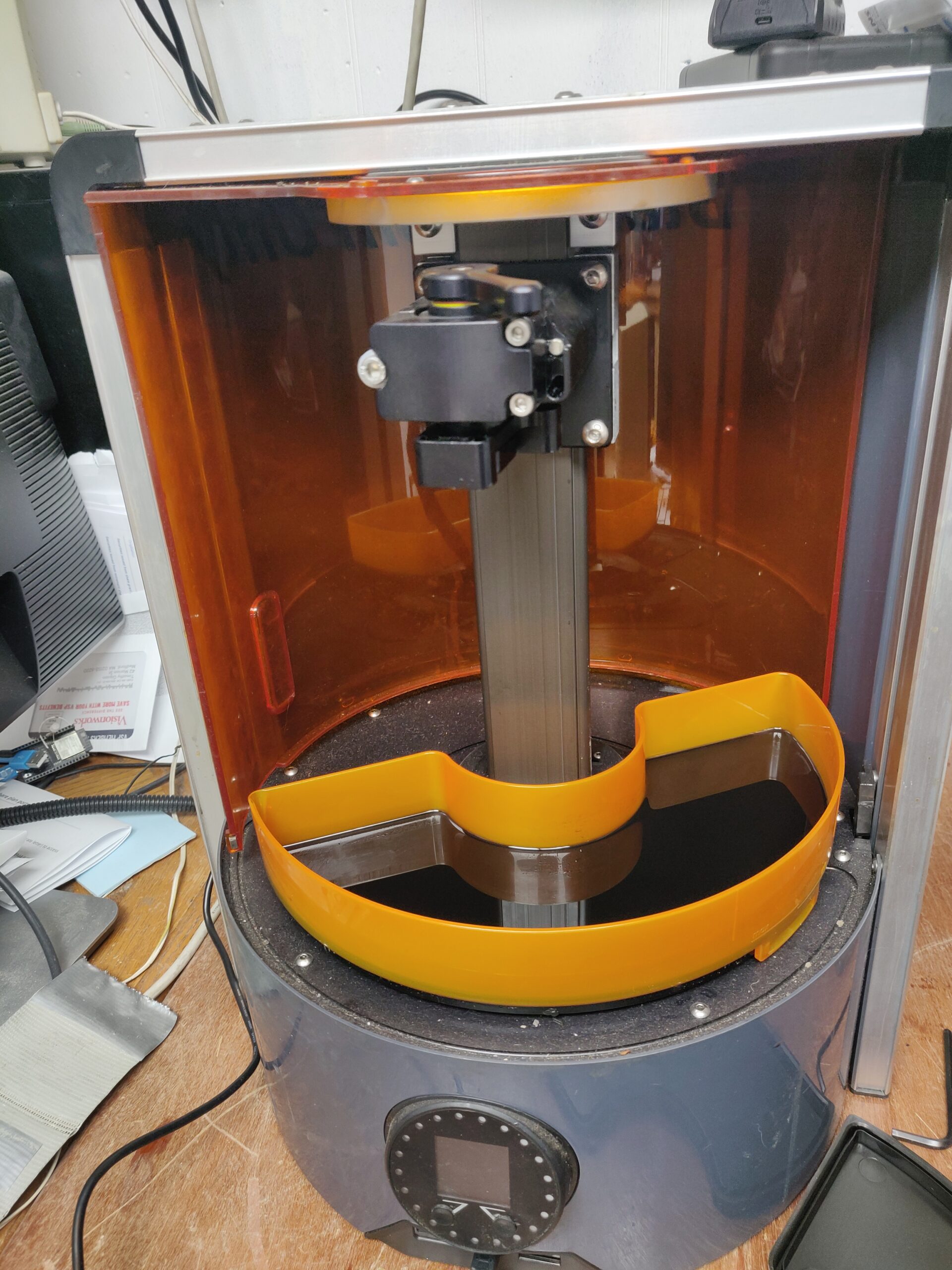
Destroying information. I’ve never had an easy time with this. Feeling in a productive mood the other day, I made a plan for my next side-project* (picking back up my interest in building gas discharge tubes, i.e. those decorative plasma globes, except doing it right this time), and set my sights on clearing some space in the basement, starting with several large, sealed boxes of stuff left behind by my ex when she left. I didn’t want to put them out with the trash since they probably contained all kinds of very personal information and things of value (sentimental, IP or otherwise), but at the same time, sort of dreaded opening them for this same reason. The majority of the contents turned out to be books, which were easy enough to process into a keeper pile, an ask-friends-if-they-want-it pile and a Goodwill pile. But also a bunch of notebooks, diaries, unreturned books from libraries I’ve never heard of, her high school yearbook… What does one do with all this stuff? Besides avoid the temptation to go poking through it of course**. The last thing I would want to do is give it over to her parents, or random tangentially-connected third parties to go poking thru. Chucking all the personal effects into the permanence of the trash is not an idea I like either, but I don’t really have better ones.

* ignoring for now the jillions of other half-finished projects yet to be worked on, when my interest in them renews
** except for one anti-anti-vegan political cartoon, marked for widespread distribution via “Top Secret Do Not Read” marked on the outside in cleartext English.

Camping in Maine

July 1st, 2008 by Tim

Kr* an I went camping/hiking in Acadia for this weekend…her first time in South Canada Maine. So we made camp on Friday evening, and ran up to the top of Cadillac Mtn. on Saturday, followed by a trip back down the steep side to Bubble Pond (~6mi). This was just after the Corporate Challenge (the run I do with the work crew once a year to remind myself how much I hate running), so I was a little bit sore. But this is a small price to pay for a weekend of campfires, meat on a stick and breathtaking views :-) We didn’t see anything from the actual top, since it was surrounded in thick fog by then, but there were plenty of great views on the way up. Sunday we set out for the logically-named Sand Beach and found a long trail along the ocean, leading to Thunder Hole, Otter Cliff and Otter Point. About 2 miles out is when it started to rain buckets :P Luckily, we had some dry clothes in the car.

[Pictures of Much Awesomeness]

And speaking of malware…

June 14th, 2008 by Tim

Overzealous AntiVirus Programs.

How the hell much work do you have to do in order to keep over-zealous antivirus programs from deleting your old virus/spyware samples, saved evidence, cracks for old abandonware you’ve been hanging onto since high school, and harmless nuisance/prank programs? I suppose I could zip them, then RAR them (replace these with never-heard-of-it proprietary compression schemes that the A/V might not be able to open), then tar them all together, triple-DES the result and rename it to ‘.txt’, but should this really be necessary?

So, no active viruses on my machine, but the latest AVG update just nuked:

  • my entire collection of spyware and dialers, zipped/RARed and renamed to harmless extensions;
  • malware samples inside an ancient-version-of-netscape mail spool inside a zip file;
  • my entire Specimens directory (cexx.org’s malware archives, also pre-safed of course);
  • entire directories of files saved from exploits / hack attacks (including files with names like buy-cialis.html)
  • a RARed backup of my Thunderbird profile
  • misc. password recovery tools
  • NewDotNet’s uninstallers
  • an entire Inbox.

Also, apparently it thinks my Trance Vibe netdemo is a Trojan Horse, just like many other programs built using old versions of Borland C/C++ compilers.

I think this AV’s getting nuked if it doesn’t come up with an option to bloody ask me first before hard-deleting files.

Bloody hack!

June 14th, 2008 by Tim

So, for those (if any) who found several pages of visible Viagra links at the end of the last few posts, my apologies. A vulnerability in the version of Wordpress I was running allowed a machine at keymachine.de [87.118.124.3] to directly inject spam links into posts using the attach/edit features. (This site is apparently a regular offender.) I knew there were a some exploits out for that version, but all the ones I knew of concerned already-registered users escalating their privileges (mine does not have other users or accept registrations), and I was holding off updating because one of the important plugins I use [which keeps the cexxy blog and LJ account synced] was known not to work with the newer versions.

The spam link injections had the form

<u style=display:none><a href=”http://www.example.com/files/phe/Lowest-drugname-prices.html”>
Lowest drugname prices</a>
[... pages more spam links ...]
</u>

The ‘display:none’ served to render them invisible*. I only noticed because I happened to try editing a recent post, and the spam links appeared in the edit box. Invisible links aren’t view/clickable by readers of course, but Google et al use them to determine search result rankings (everybody links to you, viagrawarehouse.com guy! You must be a respected authority! *bump*), so these sites have great incentive to spam their links everywhere, whether viewable to humans or not.

As for the logs, the alleged offender’s entries are here:


87.118.124.3 - - [11/Jun/2008:07:24:15 -0700] “GET /wp-admin/edit.php HTTP/1.0″ 200 534 “http://tim.cexx.org/wp-admin/edit.php” “Opera”
[...]
87.118.124.3 - - [10/Jun/2008:03:02:03 -0700] “GET /wp-admin/edit.php HTTP/1.0″ 200 19629 “http://tim.cexx.org/wp-admin/edit.php” “Opera”
87.118.124.3 - - [10/Jun/2008:03:02:05 -0700] “GET /wp-admin/post.php?action=edit&post=453 HTTP/1.0″ 200 69211 “http://tim.cexx.org/wp-admin/edit.php” “Opera”
87.118.124.3 - - [10/Jun/2008:03:02:10 -0700] “POST /wp-admin/post.php HTTP/1.0″ 302 0 “http://tim.cexx.org/upload.php?style=inline&tab=upload&post_id=-1″ “Opera”
87.118.124.3 - - [10/Jun/2008:03:02:11 -0700] “GET /wp-admin/edit.php HTTP/1.0″ 200 19629 “http://tim.cexx.org/wp-admin/edit.php” “Opera”
87.118.124.3 - - [10/Jun/2008:03:02:12 -0700] “GET /wp-admin/post.php?action=edit&post=453 HTTP/1.0″ 200 60074 “http://tim.cexx.org/wp-admin/edit.php” “Opera”
87.118.124.3 - - [10/Jun/2008:03:02:14 -0700] “POST /wp-admin/post.php HTTP/1.0″ 302 0 “http://tim.cexx.org/upload.php?style=inline&tab=upload&post_id=-1″ “Opera”

[additional lines skipped]

Anyway, all spam has been removed and blog is patched up to the latest version. As a bonus, both my must-have plugins (SK2 and ljxp) now appear to work with the current versions.

* no pun int…technically, this is…whatever you would call an anti-pun, because the code serves to prevent them rendering at all.

DIY Magnetic Fridge Poetry

June 13th, 2008 by Tim

Like the idea of magnetic poetry kits, but they don’t come with the types of words you want? Here’s an easy way to make your own, specialty kits.


Supplies needed:
Printer in working condition
Magnetic Sheeting - any kind that will feed thru your printer (such as Staples Inkjet Magnetic Sheets), or most any kind of magnets/sheets/tape with a suitably modified (gantrified) printer, etc.
Word processor
Plain text editor (aka format sanitizer)
Teh intarwebs
Scissors and/or paper cutter
Lacquer/enamel

Some other handy items:
Hex Editor
GOOD text editor supporting flexible find&replace… or scripting languages, etc.

“Oh great”, you’re thinking, another HOWTO telling me how to use my printer with specialty paper. For me, the hard part was in finding data sources and choosing all the words, so I’m not going to dwell much on feeding your printer.

1. Make Words
You might have some idea already of what you want on them. If you don’t have the list (or relative quantities) already pinned down, the Intertubes are your friend. In this example I make a lolchem (lolcat/chemistry) set for my gf. So here’s the nasty bit, getting your data sources in order. In this case, I started by kind of just ad-hoc throwing words seen on e.g. icanhascheezburger.com into the text editor, with some of the very common ones repeated a few times. For relevant chemistry terms (some of which I was not at all familiar with), I pulled them from this chem dictionary site by refreshing the random words link repeatedly and pasting any that I liked into the text editor. Depending on your browser or where (if not a web site) you copy/paste from, all the special formatting/markup might come along with it (links, funky fonts, etc.) if you paste directly into a word processor. I find it easier to just paste everything into Notepad first to strip the unwanted formatting. Finally, I needed to know what the most common words of the English language were for the remaining tiles. After a couple dead ends, I hit paydirt. Known as the General Service List, this page contains exactly that: A list of every (common) word in circulation, sorted by frequency (by analyzing a huge corpus of standard literature…this list circa 1991). All the words are listed one per line and prefixed by various numbers (frequency, etc.) that are of no use to us. To strip them, you could paste it into a spreadsheet program and copy only the last column back into a textfile, or find/replace for each of [0..9] and space. I did the latter, which was mildly annoying but only takes a minute.

The next step was to pipe the entire compiled list (chemistry and general terms) through the lolcat translator (http://speaklolcat.com/). This appears to enforce an output size limit, so only a handful of pages at a time if you have a lot of translating to do. Of course, choose data sources and any necessary translations/conversions based on your own needs. If your data sources are inconsistently capitalized, or you just want to change their case, something like http://www.convertcase.net/ will come in handy.

Now you have a list of words in plaintext, it needs to be formatted for printing efficiently. For example, all linefeeds have to be stripped and replaced by spaces. Many text editors’ find/replace doesn’t handle special characters like CR/LF, so I used a hex editor to make this substitution (a Windows CR/LF is ASCII code 0×0D followed by 0×0A). This done, it can be pasted into a word processor. Adjust the inter-word and -line spacing to your liking, leaving some room to cut the words apart. For mine, 3 spaces between words (again, find/replace works wonders here) and line spacing of 1.5 worked well.

2. Print Words
First, set your inkjet printer to “high-quality” or whatever they call the darkest, most ink-gobbling mode (temporarily disable any ‘econo-’ settings too). You paid a bundle for this magnetic paper, no sense ruining it with drab gray text trying to save a nickel worth of ink. DO NOT USE IN LASER PRINTERS / PHOTOCOPIERS, unless the product is specifically desgned for this! Products not designed for high temperatures might just melt to your laser printer’s innards instead. If your magnetic sheets come with instructions, they probably say to print a test page on plain paper first and make sure you like the layout. You’ll definitely want to do this. You’ll also want to do at least one blank “test page” of the magnetic sheet itself, to see if it feeds through your printer and if any special assistance is required (e.g. gently pushing/pulling on the sheet as it prints). If the printer has an eject / forcefeed process (e.g. holding down the power button), you can use that, or simply print a blank document. You can see my first attempt ran into a bit of trouble from not following this advice. If you run into problems, it may help to hold down the forcefeed and wipe down any accessible paper rollers with a wet rag, rubbing alcohol or your fingertip, which will remove any paper dust and provide a bit of added grip.


Sheets printed and dried


What happens if you a) don’t test-feed your paper first, b) rub the ink with your finger.

3. Lacquer words
Let your printed sheets dry thoroughly (several hours), then pick an expendable area/word on the sheet and use a wet fingertip to test if the ink stays put. If it smudges at all when rubbed, you’ll want to spray it with a coat of protective lacquer. This is good practice in general when dealing with greasy hands and sweaty fridges. Specialty ink-fixative products are available, but screw that - a light spray of Rust-Oleum High Gloss will leave your tiles smudge-free and virtually waterproof.

4. Cut Words
You could do this entirely by hand using scissors, but having access to one of those guillotine-style paper cutters to seperate the lines will speed things up considerably, not to mention provide straighter cuts. These can be found in the administrative area of most wage-slave environs (ask your secretary nicely), or most anyplace that has an “art department” (ask the guy with the beret nicely). Once all the lines are cut out, slice into individual words with scissors. Make sure you’re cutting a single strip; it’s easy to get a couple stuck together without noticing.


Use one of these to burn witches, roll heads, and cut your sheets neatly into strips


Finished product


These of course needed a container…

My next art project…sane?

June 10th, 2008 by Tim

Given an original piece of music, slice it into arbitrarily small time slices and perform FFT. From a corpus of (1000+) copyrighted songs similarly sliced, find the slice whose frequency content most closely matches the original slice. By pulling in such slices in place of the originals, reconstruct the piece, still sounding recognizably like the new piece but actually containing NO ORIGINAL MATERIAL. Bonus points: calculate how many millenia you could go to jail for for downloading this piece.

Variations: Allow each slice to be replaced by (smallnum >1) slices added together, after applying bandpass filter to isolate only the desired frequency component(s). Amplitude shaping and possibly frequency scaling may also be called for.

Perform the same project on images instead of music.

[citation needed]

June 10th, 2008 by Tim

[citation needed]
This should be made into a bumper sticker. It would be applied to the cars of 1) Wikipedia editors, 2) Reckless drivers you don’t like.

Real updates coming soonish, I promise.

Blinkenlichten RGB LED controller: protocol / firmware (1.2)

May 13th, 2008 by Tim


This is the protocol spec and PIC10 firmware download for Das Blinkenlichten (1.2). This version improves handling of the ‘Identify’ command by end devices. Backward compatibility to 1.1 is not affected.

I don’t have pretty datasheets, application notes, timing diagrams, or much example code / pseudocode, but I’m sick of sitting on this thing until I get around to those :-P So I figured I’d just stick it on the internet and see what happens. The rest might be filled in in my future spare time (or by some nice person in the comments)…

Description:
Das Blinkenlichten is an open-source RGB LED lighting system and protocol written for the PIC10F200 microcontroller. A complete node consists of this chip, an RGB LED, three current-limiting resistors and a small capacitor for power-supply smoothing. A single chain can have up to 255 unique nodes (or as many non-unique ones as the wires will carry power/data for, without burning up!). Everything is coordinated by a single master device, which can be any low-cost microcontroller or equivalent with a free I/O pin. The beginnings and goals, etc. of the design are described on this page.

Pretty Pictures
Pic: Blinkenlichten in melty, icicle-like resin
Pic: Swirled around by a girl dancing
Video: Very simple random-color-generator demo
Video: Cool video of blinkenlichten who react to music

Features / Commands in brief:

  • Fast 1-wire data bus - complete operation with only 3 wires (power, data, ground)
  • 3 colors (R,G,B) can each be set to one of 9 intensity levels - total 729 possible colors
  • Set Group Address command: control groups of LEDs at a time with a single command
  • Deferred Update command: Allows simultaneous color changes even with a large number of devices.
  • Identify command: Discover the addresses present on the bus.
  • Power Save command: Stop all clocks and enter low-power mode until the next command

Firmware
Source code (PIC10 assembler) in this zip file. A few lines at the beginning will have to be set according to your hardware configuration (see below). The “#define MYADDR …” line contains the address the chip should respond to - change this and rebuild for each chip you program.

Hardware/Schematics:

Basic schematic for an individual node. The schematic shown uses a common-anode LED (common is connected to VCC); for a common-cathode, tie the LED common to Ground instead and change the appropriate #define at the beginning of the code. Different LED packages have different pinouts; test and make sure of them before wiring it up - or especially making boards. (The R/G/B connections to the LED can be easily remapped in software, but you have to get the LED’s common right the first time!)

Basic wiring diagram for a complete string with several nodes and a controller. There is a pulldown resistor between the data wire and ground (recommended value 100k ~ 1Meg). This is necessary for the ‘IDentify’ command to work, and it also helps prevent your string of lights from going haywire if the controller takes some time to start up and the voltage on the line is floating.

The maximum cable length, and maximum nodes reliably driven on it, depends on how strong your controller drives the data line. As you add length and extra loads (inductance and capacitance) to this wire, the voltages on it will take longer to rise and fall, and be more difficult for the nodes to reliably consider a ‘1′ or ‘0′. If you don’t care about the IDentify feature, you can add a beefy buffer here to drive the data line harder. If driving long strings, you might also want to add decent-sized electrolytic capacitors between the power and ground wires at intervals along the string.

Command packet format: (forgive the horrible ASCII art)


     <start> <addr[7..0]><cmd[7..0]><stop>
_____- - - -. . . 16 data bits . . .______

The bus idles low.

Start condition: Bus goes HIGH and stays high for longer than the longest possible loop run (min. ~ 17uS), so that all devices are guaranteed to catch it.

Data bits consist of a low period (low half) followed by a high period (high half). A 1 is denoted by making the LOW half longer than the HIGH half, and a 0 by making the HIGH half longer. Ideally, all bits should total the same length, but since the low half sets the baud rate on a bit-per-bit basis, this is not required. However, any half should be a minimum 18 device clocks (18/1MHz=18uS) for most accurate timing, and should not exceed 255 device clocks (255uS).

Stop condition: Give some time for the cmd to be processed before sending a new one (bus idles low). If you’re in a hurry, this time depends on the specific cmd. Otherwise, you can just wait about 90uS (time for the longest 1-way cmd, activate_deferred, to complete) and not worry about it. (*See special timing notes for Identify cmd.) This is the preferred approach, but you could also just make the START condition longer.

Address BYTE format:

bit <76543210>
AAAAAAAA

where AAAAAAAA is an 8-bit device address (or group address). Address 0 is the broadcast address. Since the ‘Group Address’ cmd only supports addresses up to 64 (0×40), I recommend a handful of low addresses (0×01 ~ 0×0F) be set asdie for group addresses if you plan to use this feature.

Cmd BYTE format:

bit <76543210>
ERGBIIII

E: Extended Command flag. If ‘1′, decode remaining bits as Extended Cmd as described under Extended Commands. Otherwise,
RGB: Which color(s) cmd applies to (set ‘1′ for each color this intensity applies to)
IIII: Set intensity (0 ~ 8)

Extended Commands

11xxxxxx : Set Group Addr to value xxxxxx
10XXyyyy : Poke “Virtual reg” XX with contents yyyy (see below), where XX is the address of a virtual 4-bit reg and yyyy is the value to poke.

Vreg 00: Flags [x identify activate_deferred power_save]
Vreg 01: Defer buf R
Vreg 02: Defer buf G
Vreg 03: Defer buf B

Detailed description of the virtual registers:

Vreg 01 ~ 03 allow a deferred update to be sent for the R, G and B channel respectively. The new intensity value(s) are stored in memory, but the old intensity values continue to be displayed until an activate_deferred command is executed, at which point the new intensities are displayed. This will be particularly useful for trickling new values over the bus, then sending a single activate_deferred to all devices (addr 0) to give the appearance of a simultaneous update.

Vreg 00 is a virtual register among virtual registers: Rather than writing a value to it, you write to it setting an individual bit to perform the requested action. Once the action is performed, the bit can be considered automatically cleared.

  • Unused (bit 3): “No-Op” - Dummy command, doesn’t do anything.
  • Identify (bit 2): On receipt of this cmd by a given device address, this device shall pull the data line HIGH (internal weak pull-up) for a period of about 512 device clocks (or whatever, plenty long enough for master device to see it). Normal operation is then resumed. (Note that this may disrupt other devices on the bus, who interpret the pullup signal as a new START command. If this is bothersome an Identify command may be followed immediately by a dummy command if a device responds. The device’s response will be seamlessly eaten by the dummy cmd’s START, so it just looks like an extra-long start bit to all devices.)
  • Activate_deferred (bit 1): Replaces the currently displayed intensities with the contents of the Defer (R,G,B) regs if they contain a valid update.
  • Power_save (bit 0): This command will effectively stop the CPU and any pulse modulation activities and enter a low-power SLEEP mode. The device will remain in SLEEP mode until the next bus activity occurs, at which point it will re-awaken. Technically it will be waking up occasionally due to WDT, but these activity periods will be brief.

Quick Examples

Set device id 02 Red to max (8):
<start><02><01001000><stop>

Set device id 02 to bright white (Red, Green, and Blue to max):
<start><02><01111000><stop>

Set device id 02 to arbitrary color (Red 8, Green 2, Blue 3):
<start><02><01001000><stop>
<start><02><00100010><stop>
<start><02><00010011><stop>

Set device id 07 off (Red, Green, and Blue to 0):
<start><07><01110000><stop>

Clear all group addresses to 0 (default):
<start><00><11000000><stop>

Assign device id 0×9F to group (address) 05:
<start><9F><11000101><stop>

Set all devices to power save:
<start><00><10000001><stop>

Advanced Examples

Identify all the devices on the bus (pseudocode):

for (id = 1 to 255)
{
    Send1Wire(id, b’10000100′); // Extended cmd: Identify
    Delay(100); //delay 100 uS, to give device time to respond
    DATA_WIRE = ‘INPUT’; // However you switch this pin to an input on your preferred platform
    gotResponse = DATA_WIRE; // read the data line to check if anyone is responding (pulling the data line high)
    DATA_WIRE = ‘OUTPUT’; // Switch it back to an output (retaining same value as was read)
    if (gotResponse == 1) // Was there a response?
    {
       print(”Found device ” , id); // do something with this information, e.g. store active IDs to a table
       Send1Wire(0, b’10001000′); // send dummy command if there was a response.
                                        // Or you can just wait a few hundred msec for the other devices to reset
    }
}

Specific firmware points of interest

The intensity of the LED colors is controlled using pulse width modulation (PWM). The basic operation is that the intensity value for each color (0 ~ 8) is converted to that many ‘1’s and stored in a register, and this register’s contents are continually rotated in circles. Each time, the last bit is used to determine the on/off state of the LED. So with 8 bits in a register, it can be on 0/8 of the time (off) or 1/8 of the time or … 8/8 of the time (full brightness).

To provide the fastest possible update rate, it’s necessary to squeeze as much performance out of these cheap tiny PICs as possible. The PIC10 supports only a handful of instructions, no interrupts, and only a rudimentary 8-bit timer. For the PIC10F200, the entire program is limited by memory to 255 instructions. Therefore we can’t afford to be too sloppy.

The code uses look-up tables in place of any loops/math wherever possible. The chip does not support table-indexing operations in ROM (Flash), so this is done using computed GOTO: In many microprocessors including this one, the Program Counter register (which acts as the processor’s bookmark in the code’s execution) can be modified by the program directly. Thus, by writing a new value to the Program Counter you can force the processor to lose its place, resuming program execution from the address you just wrote. By performing math operations directly on the program counter, this method can be used to index a lookup table nearby. In the example below, the intensity value is added to the program counter to make it an index into a table stored just after it. The ‘retlw’ instruction returns from the function with a specific value saved in a register. This code snippet converts the (0 ~ 8) value to a value containing that many ‘1’s, using only a few clock cycles.


; Want to return a value containing the number of ‘1’s specified in the intensity
; value. But want to spread them out for faster switching and less perceivable flicker.
setpwm:
    movf INDF, w ; cmd value
    andlw B’00001111′ ; mask off bogus bits
    addwf PCL, f ; skip that many instructions
    retlw B’00000000′ ; 0×00
    retlw B’00000001′ ; 0×01
    retlw B’00010001′ ; 0×02
    retlw B’01001001′ ; 0×03
    retlw B’01010101′ ; 0×04
    retlw B’01010111′ ; 0×05
    retlw B’01110111′ ; 0×06
    retlw B’01111111′ ; 0×07
    retlw B’11111111′ ; 0×08 ; last valid value

This same method is used to allow the PWM loops to keep running while receiving data. Each time a bit is received, the PWM loop “jump table” is called. The count of the number of bits received is used as the index into the jump table; instead of a list of data values, each table entry contains a jump (GOTO) to the address of either the red, green or blue updater.

Determining between ‘1′ and ‘0′ bits on the data wire also takes just a few instructions. For each bit, the line is held low for some amount of time by the controller, then held high. Whether the low or high half was longer determines whether it was a 1 or 0. The way to measure this can be thought of as a stopwatch that counts up during the first half, then down during the second half. If the count goes negative, the second half was longer and we record a ‘0′, else we record a ‘1′. The ’stopwatch’ here is the chip’s 8-bit counter/timer register. But it can’t count down, it can only count up! So a little cheating: when finished timing the first half, we complement (invert) the contents of the timer register. Now it’s still counting up, but if the original count was 7, now it’s (256-7) or 249. If the 2nd half is longer, the timer will reach its maximum value (255) and roll over to zero again like an old car odometer (and ending at a low number again, the Most Significant Bit will be a 0). Otherwise it will be a high number, and the Most Significant Bit will be a 1. So, at the end of one up/down cycle on the data line, the timer’s MSB will automatically contain the correct bit as it was sent on the data wire.

You might also have noticed that the PIC10 only has 3 pins that can function as outputs; according to the datasheet the 4th (which I’ve used for the data wire) is input only. The 3 output pins are already being used to drive the 3 LED colors. So how does a node send data back to the controller in response to an IDentify command? There is a register setting that enables weak pullup resistors (~10k-20k) on all the pins. On the output pins this does nothing, but on the input (data) pin this applies voltage to the wire, overpowering the even weaker pulldown resistor (~100k) added to the controller side. (The controller stops driving the I/O pin briefly to await this response.) So by toggling the pullup resistor on and off, we can send data the ‘wrong’ direction :-)

Version History and Compatibility:

  • v0.x (2005) Nora Nightlight edition. Quick n dirty hack with hardcoded timer to distinguish 1/0 data bits. Set Group Address is the only valid extended command. Didn’t get around to touching it again for a long time.
  • v1.0 (2007) Beloved edition, demoed at VNV Nation concert April 07. Changed from fixed-frequency to variable baudrate data encoding/decoding; re-ordered some bits in the command packet format to make more sense.
  • v1.1 (2008) Proper edition; first public release. Implemented remaining Extended commands: power save mode, deferred update stuff, and device identification.
  • v1.2 (2008) More-Proper edition. Improved handling of IDentify cmd; now can avoid flashes during identify as non-responding devices on the bus reset. Compatibility with v1.1 devices is not affected.

v1.1 and v1.2 are backward / forward compatible and can be used on the same bus. V1.0 supports only the basic command set (Set Colors and Set Group Address). Versions prior to 1.0 are not compatible at all…luckily, they basically don’t exist in the wild.

Encryption: Not just against the bad guys anymore! (or, how Comcast contributes to global warming)

May 9th, 2008 by Tim

In Part 1, we explored evidence supporting the conclusion that Comcast’s well-known policy of blocking / interfering with p2p file transfers (notably BitTorrent protocol) extends to several other legitimate moderate- to high-bandwidth activities, including collaboration via Lotus Notes, remote desktop applications, FTP, and even sending emails with large attachments. A working temporary solution (again, while counting down the days until FIOS comes to your area) is to just encrypt the hell out of everything, every HTTP request, every email sent, every file uploaded, your freaking grocery list, to force Comcast’s braindead filter to leave it alone.

Now, this misbehavior is bad enough while I’m trying to pirate Linux distros, but when I have to disguise my goddamn EMAIL to get it through? Something is very wrong with this picture.

Now, what does that have to do with global warming, the global war on BitTerrorism (net neutrality), and the price of broadband in China? Simple: Until Net Neutrality is enforced by law, the Comcasts of the world (any similarly shitheaded companies) will increasingly turn to methods such as this (nuking “bad customers”) as a profitable band-aid fix for the problem of rampantly overselling their capacity. As is already happening, users and software will respond by increasingly turning to unnecessary encryption in an effort to keep malicious third parties (in this case the user’s own, paid ISP) from tampering with the stream. If it continues, web sites will switch to using SSL (https:// links) by default to ensure their “eyeballs” can reliably reach the site, and soon, encryption of every last little unimportant snippet of data will be de rigeur to limit packet discrimination.

SSL encryption is a mathematically cumbersome, CPU-hungry process. While an average home PC slurping down Internet packets at a rate limited by the connection speed will not be overly taxed by this, the server that has to perform this encryption for thousands of visitors at a time is working up a sweat. A CPU that’s doing heavy math is consuming more power and generating more heat than one that isn’t. Multiply this by the number of Internet users and encrypted-by-default sites, and you see that you are needlessly wasting a huge amount of power to triple-DES Grandma’s grocery lists, and throwing wads and wads of unnecessary heat into the air.

Encryption also counts on generating a stream that looks like random noise. If you can suss out a pattern in an encrypted stream, chances are you can crack it. Consequently, cryptographic engines take great pains to ensure that the streams they generate do not contain repeating patterns. Compression, meanwhile, depends on identifying repeating, redundant data and optimizing it out. Consequently, encrypted streams are ideally uncompressible, which means all the current “mid-pipe”, bandwidth-saving tricks such as transparently compressing traffic between routers, also go out the window. Bandwidth consumption skyrockets and pipes saturate like never before. (Nevermind that under the current scheme, Comcast is already doing this to itself to some degree - see previous post for how my 1-hour FTP upload becomes an all-day FTP upload, continuously restarting the interrupted transfers from the beginning and saturating my upstream for the whole damn day.)

Fixing Gmail, FTP, VNC, p2p, and other legitimate traffic not working in a Comcast Town (part 1: solutions)

May 9th, 2008 by Tim

As fate (or rather, failure to research local broadband monopolies and factor them into my home-buying decisions) would have it, I am a Comcast cable internet customer, in a Comcast town. As you might now, Comcast has for some time been quietly blocking…er, the polite term is “throttling”, certain types of bandwidth-intensive traffic. While that traditionally has meant BitTorrent (to cite the most well-publicized example), several researchers have presented evidence showing Comcast interfering with other types of traffic, such as Gnutella and even Lotus Notes. Comcast of course openly denies any “blocking” of “applications”* using lawyeresque weasel-words, in effect tacitly admitting to interference that falls just short of outright blocking. (The admission is typically couched in terms such as “traffic management to ensure the best service for everybody”, which is marketing speak for “we ridiculously oversold our capacity, and are blaming Bad Customers** for our mistake. Phooey on them, wanting to actually use the bandwidth they paid for and such.”.) From a technical standpoint, Comcast’s blocking throttling is done using a Sandvine box to sniff the user’s packet stream for possible P2P connections, then inject fake packets into the stream (known as a man-in-the-middle attack). Comcast sends fake RST (reset) packets to both the sender and receiver, spoofed to appear as though the other side sent them. This results in both sides dropping the connection, typically appearing as a “Connection reset by peer” error if the program actually displays errors. BitTorrent clients typically don’t, but other affected programs might.

I have personally found evidence that suggests Comcast’s ham-handed blocking attempts have been interfering with even other types of legitimate traffic, including FTP, VNC and GMail. Yes, Gmail.

Gmail:
Intermittently, certain activities in Gmail (mainly, attempting to send an email with file attachments, although the Chat feature is intermittently affected as well) at home would fail in various nondescript ways - for example, just sit there and do nothing, or pop up a bizarre, title-less lowercase “please try again” Javascript popup that even Google’s tech support couldn’t identify. Of course, trying it from my work connection (same browser version, approximately same time, by the power vested in me by VNC) would always work fine. This would persist for several days at a time, then go away for a while, then come back…

Solution: During one particularly extended period of brokenness, I tried changing the standard “http://” URL to “https://” to force an encrypted connection, and reloaded the page. Lo and behold, everything now worked flawlessly! The only difference “https://” makes is it uses a different portnumber and the traffic stream is encrypted. On Gmail’s side, the same requests are answered by the same scripts, then sent back to me and read by the same browser. The only difference is that Comcast can’t snoop the streams, misdetect one as a bandwidth-hungry file transfer and inject crap into the conversation.

VNC:
Occasionally, I have a need to pull data from my home machine to my work machine, or run a program on my home machine that I can’t or don’t want to re-install at work, so I run a VNC server at home. One day, I could not connect to it from work, although nothing had changed (including IP address) and the server was definitely running (I could connect to it from other machines at home). Likewise, the VNC client at work could connect to other machines, just not on Comcast. Our IT guy at work also reported difficulty with his Comcast connection. Upgrading to the latest version of TightVNC, which uses a newer protocol, on both sides solved it. (So it seems that either my client and server both experienced bit rot, or a certain ISP decided not to like the protocol.)

FTP:
Trying to upload large files to my Web site has been failing with repeated “Connection reset by peer” errors after only a few megs have been transferred. I can let my FTP client run overnight, trying to post 30-meg videos with arbitrarily many retries, and by the morning not a single file has successfully transferred. Hmm, I said. Connection RESETs, that appear to be coming from the peer, why does this sound familiar…? Now to test a theory. As I let the FTP continue to run and fail, I research and find that my Web host supports Secure FTP, which boasts end-to-end encryption. So with only a couple-minute delay to download and install a SFTP client, I replace this simple, time-honored protocol with a CPU-hungry encrypted version, and guess what? The screenshots may speak for themselves.


Unencrypted file transfer over Comcast: no successes. Encrypted transfers over Comcast: no failures!

So it seems, if you’re stuck with Comcast, any type of transfer that doesn’t fit their preferred usage profile (that is, a granny paying $45/mo to send a couple short emails every week) is a potential target for packet discrimination during times of peak demand***. It also seems that the solution so far involves encrypting or obfuscating as much of your traffic as possible. The stream then appears as random noise, and no man-in-the-middle crap can be injected without invalidating the signature. Comcast in my area doesn’t seem to be blanket-blocking encrypted traffic (yet!), so this can be an interim solution while counting down the days until FIOS (or any competition what-so-bloody-ever) is available in your Comcast Town.

(Finally, for actual p2p transfers, this link provides instructions for enabling encryption in BT, as well as some other workarounds.)

* they don’t block applications, they block packets from those applications. The applications themselves are installed on your own PC, which they can’t do anything about without deploying a rootkit.

**there is actually a commercial to this effect running as part of the cable/satellite TV wars, but I couldn’t find a link to it. A bunch of fatcat executives are sitting around a downward-spiralling profits graph, one exclaiming, “I’ve figured out the problem! It’s the CUSTOMERS. They keep calling, and complaining, and wanting better service.” The solution was to fire all the customers and find replacement customers who were more willing to accept crappy service.

***it’s possible that these issues manifest only for users who occasionally run one of the targeted applications, such as BitTorrent (which my housemate often does). Since it is unlikely that even CrapCast would intentionally target e.g. GMail, it may be that their braindead filter just nukes TCP streams from your modem indiscriminately if recetn BitTorrent activity has been detected. Further study will be performed when I can set up a clean test at a friend’s house with Wireshark running on both sides, as the Lotus Notes guy did.

Vibe update

May 8th, 2008 by Tim

So, Jane and I built the electronics for 30 of them, then I took them home and plugged one in for a test drive. It connected to the USB port, beautifully, then I go to turn up the juice. As soon as there is power going to the motor and it’s getting ready to turn, the USB connection is lost and resets/re-enumerates (Windows makes an unhappy dink-dunk…dunk-dink noise). Try another board, and the same thing happens. The first one built worked just fine (on Jane’s PS2), exact same design and components. What’s going on?

Long story short, scoping on the USB 3V regulator pin reveals a steady 3V when nothing’s happening, but an unstable mess when power is being switched to the motor. Small, almost negligible power dips on Vcc are translating to huge, yawning valleys of undervoltage on the regulator output. This on-chip regulator sucks. Beefing up the storage cap on Vusb does nothing, but another 10uF or so across the power rails seems to solve the problem. The USB specs recommend a power supply bypass cap of no more than 10uF, which is already present in the design, so increasing it further is not my first choice for a solution. Then I had a moment of smartness… I was using the front USB ports on my computer, since they were easily accessible, then I remembered those long, puny little ribbon cables that connect the front ports to the motherboard.

A quick look with the side cover off confirmed that pulling half an amp through one of those puny wires was asking for trouble. Combine that with the new longer, skinnier USB cables, and said trouble answers. Plugging into the rear ports made things much more reliable, as did adding a bit more capacitance across the power rails (reliable rear AND front port operation). But now I have to wonder, just how crappy does USB port wiring in the field come? The last thing I need is a pile of angry returns when people start plugging these things into their eMachines Celerytron craputers, with USB ports wired up using wet cat whiskers and good intentions by China’s most optimistic child labor, and wondering why their vibe doesn’t work…

So, final solution is to add the extra capacitance across Vcc, along with a big dire warning about crappy front ports. Yesterday I also made an enclosure-milling template, basically an aluminum bracket with cutouts in the appropriate spots. Sliding an enclosure into the left or right side exposes only the plastic that needs to be removed for the USB port or vibe connector, respectively. (Yeah, I’m supposed to have made a CNC milling machine for this by now, but haven’t gotten around to finishing it yet…) Now with all this hacking around for suboptimal ports, I need to throw together a long-term automated test script too.

On nomenclature (Soylent Green is… is..)

May 1st, 2008 by Tim

Ok, so, apparently in certain circles of defense parlance, you do not blow up people. Well, you do, but the correct euphemism is “soft targets” (as opposed to “hard targets”, such as tanks, buildings, etc.). Referring to soft targets as people is rather frowned upon. I managed to inadvertently silence a getting-out-of-hand meeting yesterday as follows:

(various talking, sniggering and head-shaking about ‘targets’ nomenclature)
me: So this thing has about 4 seconds to decide if it’s being shot at buildings or people…
AL: Soft targets!
me: OK, so seriously, in the event of Soft Targets (arf! arf!), 4 seconds to reconfigure?
DE: How about bad people?
me: How about, brown people?

(*crickets*)

Apparently, certain coworkers have far not enough respect for Carlin. (That and, certain coworkers probably now think certain other coworkers have far not enough respect for other cultures and/or not being a racist fuck, even after attempting to explain the Carlin sketch…)

Ok, I’ma just continue sitting on my hands and rocking. (”I am not designing a weapons system… I am not a racist fuck… I am not designing a weapons system…”)

* * *

On a lighter note, from the People who Have Entirely Too Much Fun at their Jobs department…

Toilet colors. The person at toilet companies whose job it is to name the different colors their product comes in* has the Funnest. Job. Evar. One particular model comes in your choice of Thunder Gray, Innocent Blush, or Biscuit.

Hehe…Innocent Blush… “who, me?” Yeah, I’ve had performances like that. Usually a few hours after eating Anna’s.

* * *

Some days ago my girlfriend was staying over, and I was in earshot when she called up her lab to ask someone to turn off an experiment in her hood that was inadvertently left running. My eyes widened and I said, “Whoa, you can do that? You just MeatVNC’d into your lab.” She had no idea what I was talking about and I had to explain. (Meanwhile however, one or more nearby computer geeks were cracking up.)

* not to mention file trademark applications if they Google it and get 2 or less digits of hits. Imagine how that must look on a re`sume`. “I’m also the mark holder for Baby Green(R), Cornfetti(R) and Pilsner Swirl(R)!”

Playing with polyurethane casting material

April 29th, 2008 by Tim

For a project at work I had to mold some things in this hard clear polyurethane, so my Mechie ordered a giant kit of the stuff - more than the project ever will need (and it has a very limited shelf life). So I mixed up a little more than necessary and used the leftover to pot some Blinkenlichten (intelligent LEDs).

The material used is Smooth-On brand “Clear Flex 95″. This is mainly sold as an industrial product, although smaller quantities (highly recommended! See below for why) may be availble from art supply houses. It comes in 2 separate jugs of syrupy liquid marked PART A and PART B, which are mixed together in a specific ratio by weight.


Clear Flex 95 (casting resin) and mold release spray

For every part, the general process is:

1) Make a mold (basically a pool that is the inverse shape of the part you want to make). A wide variety of shapes are possible, but the shape must be such that you can remove it from the mold again once it’s hardened. Complex shapes with convexities or overhangs might require the mold to consist of two halves that can be clamped together and later pulled apart to remove the finished piece. One good mold should be good for many, many parts. (The Smooth-On site also provides a moldmaking tutorial.)

2) Liberally spray down the mold with a “mold release” agent. This looks, feels and acts pretty much like PAM non-stick cooking spray. Same idea - it keeps the piece from sticking to the mold. (It’s possible that grease or cooking spray could work as well on some materials, but it’s disrecommended by the manufacturer and I haven’t tried it.)

3) Thoroughly but slowly mix up the liquid, being careful not to stir in air bubbles (unless that’s the effect you want - but in general air bubbles are bad news since you can’t easily control where they end up or how they are distributed). Scrape the sides of the mixing container in the process to be sure everything is getting mixed. If you want to add any colorants or other stuff (confetti, metal flake, etc.?) to the mix, now is a good time to do it.

4) Pour the mixed goo slowly, aiming for the bottom of the mold (containing any parts to be encapsulated, if any), letting the material seek its own level and chase out any trapped air. It may help to fill it partway and tilt in different directions to release any air bubbles before filling all the way.

5) (advanced stuff for perfectionists*)

6) After it hardens (see the “demold time” spec on your chosen casting material), open the mold (if applicable) and pull the piece loose. If the mold was designed smartly and mold release was applied, it should come out easily. To finish the hardening process, and clear up any remaining tackiness on the surface, it’s typically baked in a low-heat oven for several hours or left out at room temperature for several days.

Obligatory Warnings: Although you can pick this stuff up at art-supply houses, don’t let this detract from the fact that this is still a nasty industrial chemical product and should be handled with due respect. Wear gloves for mixing and handling (if you get some on your skin, you’ll know within a few minutes by the burning sensation…), and long sleeves. Use in a well ventilated area, or ideally outside. Don’t get it in your eyes, don’t mix it in your favorite beer mug, don’t bake the parts in your food oven.


Aluminum mold for USB gadget (failed unit shown, it’s the one that was handy)


USB gadget (successful unit shown)

For the USB gadget, a 2-part mold was cut from a small block of aluminum to be a bit larger than the board all around. Both pieces were sprayed with mold release. After wrapping some tape around the USB connector in case of drippage, the board was stuck into the aluminum mold block with the connector sticking out. The mix was slowly poured in until the level reached almost to the top of the main part of the mold, then the cover plate was screwed on. The complete mold was then turned upright (USB connector pointing up) and filled to just above the top of the PCB, tilting gently side to side to get the air bubbles out. After sitting like this overnight, it was removed and baked for a few hours at about 150degF in a cheap toaster oven.


Ice cube tray "mold". The first cube in the tray bears a plastic recycling logo, which now appears on one of the molded cubes (whoops!)


Single cube. Note extreme refractive index(?) resulting in multiple reflections of the hardware inside.


Cubes with power/data applied

The LED cubes were done exactly the same way, except instead of a complex aluminum mold the circuits were stuck in a plastic ice cube tray, and the cubes filled with the casting material. The first batch (2 cubes) turned out awesome! About a week later I mixed up a new batch and tried it again…


Fail!

Not sure what went wrong with this 2nd batch, but it remained about the consistency of pine sap (and flowed very slowly, e.g. over the course of a day or two), and after a few days it bubbled up like crazy and stayed that way. Once I returned from a 2-week trip (3+ weeks curing in air), they finally seemed to be hardened. Current theories are a) I mixed it wrong (confused the Part A and Part B) - although I checked and doublechecked… b) it really does go bad that fast after opening, or c) the leftover goo from the fat lip on top of the can (exposed to moist March air for some several straight days) helped poison the mixture. I hope to try it again sometime reasonably soon, but in the meantime it seems like a good idea to get this stuff in as small containers as possible and use it soon after it’s opened. Blowing some dry inert gas into the cans before closing could extend its life a bit.

After the unsuccessful attempt to demold them from the cube tray resulted in “melting” all over my table, the above is the mostly unsucessful attempt to get them back into the cube tray. Each step represents about 2 days’ worth of melting. This could potentially be reproduced intentionally for artistic effect, IF there is some way to force it to harden up at the desired time (such as immersion in straight Part A/B, if it resulted from a bad mix ratio). After several weeks’ exposure to open air, the stuff shown seems to have finally hardened. Comparison of the melty results to the original cubes also shows that they started out completely bubble-free; the massive amount of air bubbles present in the end result most likely formed as the result of some slow chemical process in the dud mix. Small bubbles began to appear by the day after pouring and continued growing until the material hardened. (It may even be continuing still - I’ll find out one day if one of these melty cubes suddenly explodes.)


Bubbles where there were no bubbles before


Being blinked, top side


Being blinked, bottom side


After some days of continuing to melt around in the tray, I looped them over a rod and let them just melt freely. Here is how they finally hardened.


Actually, when lit the melty ones kind of look badass!

* if you really, really don’t want air bubbles, one way to get rid of them is to build a vacuum chamber (the compressor from a discarded cube fridge or dehumidifier, etc. makes a good hobby vacuum pump and compressor). Basically any container you can place the still-liquid mold into and pull a vacuum on it, thus causing any trapped air bubbles to swell and burst (or become buoyant enough to rise to the top and escape). Then, by reversing the pump (positively pressurizing the chamber) until the mix hardens, any small remaining bubbles can be compressed to nearly invisible size :-)

LOLplants

April 18th, 2008 by Tim

Probably not funny unless you’re a horti/carnivore freak, but I just about rolled when I saw this.

More disappearing…

March 27th, 2008 by Tim

So, all my last minute work shizzle is for the most part done. Some guys in Cali and a guy in DC will be receiving some (entirely unrelated) totally awesome, kick ass hardware. (The latter, also a hundred-plus-page brick of a Final Report, which he in all likelihood will not read.)

So on Saturday, I am headed to South Africa for the next couple weeks! Long story why (pleasure, not much if any business), and I probably should have mentioned it earlier, but away I go. :-)

Addendum: I will be incommunicado during this time. Internet there is about as fast and reliable as Crapcast is here (or much less so), and as for phone, CDMA actually stands for “Considered Doorstop in Most Areas” (despite what industry trade groups would have you believe).

Some very bulk

March 25th, 2008 by Tim

OK, this has been a busy little while here, and I forgot that here is where I write what I’ve been up to so I don’t forget :-P And now I’ve forgotten. So, this is the last few months of real-life events…

We last left off with Xmas in Massena, with Kr*’s folks (and, from what I am told, her old man developing a huge man-crush because I like grilling, venison and building shit :-P). So, here is…

New Year’s
In Chicagoland with the folks. Much of the fun (the big newyears cabin party) is in the photo album, featuring a whole lot of people-getting-tipsy and Nando-passed-out-and-getting-stuff-stuck-in-his-hair (not by me!), my bro pissed off about being woken up and giving the ol’ batwing (NSFW!), and what happens when you put a big nuclear cooling pond right next to a major* road in subfreezing temperatures.

[The Obligatory Photo Album]

Also, fun facts on Chuck Norris Saturn vehicles, after one of my friends bricked one by leaving a cellphone charger in the cigarette lighter for a few days: 1) Don’t leave cell chargers (or whatever gadget) in the cig lighter overnight; unlike many vehicles who cut power to the cig lighter when off, on a Saturn it will apparently drain your battery. 2) Don’t leave the keys in the ignition when not in use (even if the car is safely locked in your own garage and this is a good place to not lose your keys), because if you ever leave a cellphone charger in the cig lighter overnight, it will brick your car! You see, for some retarded reason they decided to put the battery in the trunk, which can only be opened by a) the electric trunk opening button, or b) the ignition key, which is now permanently stuck in the ignition, because the key release mechanism is an electric solenoid powered by the battery, which is in the trunk…

Skiing at Sugarloaf
Pictures will be posted as soon as someone uploads them ;-) This was a load of fun. 3-day ski trip featuring my first actual lesson, some adventures with trees, a beautiful run all the way from the summit (nearly above tree line), and the discovery that cellphones are not good for breaking falls (as it turns out, falls are good for breaking phones. Repair will be documented separately…).

* major for rural Illinois, which means one lane in either direction, but a speed limit of 55.

LiveJournal Strike? (Don’t back-down, back-up!)

March 20th, 2008 by Tim

Today, I logged into LJ (that drug I joined because All my Friends were Doing It), and found out that:

a) As of yesterday (or some other near-term time), free accounts have been discontinued (new users join as Sponsored or Paid accounts)

b) As of about-same-time, some unspecified changes to “Acceptable Content” policies, with the upshot of creating a bunch of new forbidden opinions/topics and unacceptable usernames. I’d really like to know the details of these changes myself*, but they don’t seem to be officially documented and I can’t be ars inconvenienced to dig through five thousand comments on the relevant pressrelease pages to get at the details.

c) Everyone’s going to strike by not reading/writing anything to LJ from 8:00 PM Thursday until 8:00 PM Friday, Eastern Standard Time. A more detailed manifesto is given by the bolded text of this post.

I can well understand the rationale behind discontinuing free accounts**, however, I find the lack of any advance notice or discussion on the matter disturbing (not to mention my content’s wholesale purchase by this “international media company” I’ve never heard of). My main concern, though, is this retroactive “acceptable content” change. This means I and every other LJ user potentially have to go back and sanitize 4+ years’ worth of old posts or have my entire 4+ years’ worth of blog and comments deleted? …Every time they (or parent media conglomerate / ad brokering firm / whomever) decide to tweak the rules? Not to mention anyone whose username or community is now against the TOS; good luck recovering from that. Regardless, the only way a “free” service can turn up the crap and still keep you is if you’re stuck there: you know, like having built several years of content and reputation there that would be immediately forfeited by cancelling your account. Once any “free” service jumps these particular sharks, it’s time to start hedging for the future.

My personal thought is a 1-day boycott would have no more impact than those worthless “buy no gas on (date)…” chain letters - nobody produces or consumes any less, just bumps the usage profile around by a couple days***. And as astutely noted here (and again borne out by the Free Web Hosting era), organizing and participating in boycotts of a service via that service is a good way to get your account whacked.

So fuc inconvenience boycotting. Here’s what I’m doing, and I urge you to do the same. Download a utility such as LJ Backup, rescuing a safe, yours-to-keep copy of your content from the server. You know, just in case. Repeat the process frequently. This way, at some near future time when random popups start coming up on your journal, or your account gets deleted for some uncareful words about some company that’s now a sponsor, or you get a ransom letter saying your own free account is now $5.99 a month, you’re not held hostage by your own content. Spend that few-bux-a-month instead on your own Web hosting, dump the backup to the blog software of your choice and be beholden to no one! RSS feeds are the new Friends Page.

*as someone who blogs stuff an entire category about selling vibrators, plenty of Hate Speech against salesmen, various openly misogynist, racist and homophobic statements under just the right moderator’s eye and/or regexp filter.

**any arguments about whether the company actually needs more money notwithstanding, this is among the most fair of many possible tried-and-true approaches, based on years of experience as a vocal opponent during the heady days when Free Web Hosting companies (and to a lesser extent Free ISPs) were the web 1.0 dot-com bubble rage. Unlike the typical approach, existing members’ pages are not suddenly serving up objectionable and vaguely pornographic popup ads…

***buying your gas a day early isn’t exactly Stickin’ It to da Man. But, if you take this day to put away the keys and air up your bike…

Disappearing act

March 10th, 2008 by Tim

Going to be holed up at work most of this week finishing up two projects with immediate deadlines. Returning to civilization sometime after next Monday!…

Circle stickers on cars - gettin’ hip with ISO

March 4th, 2008 by Tim

Sometime after moving to the east coast, I started noticing a few cars driving around with these black and white oval-shaped stickers bearing a random 3-letter code. At first I figured they were some kind of east-coast thing, maybe parking stickers identifying membership in a particular school district, etc. I didn’t think much of it at first, but then they started to multiply. It wasn’t just a “thing”, it was a phenomenon, and I was living under a rock. Was it a new secret society? The Medford Mafia broadcasting their next hits? The movement appeared to be growing so fast, there were even parody stickers of these stickers popping up. This one says ((EARTH))…this one says ((BEER)). This one I ((CAN’T REPEAT IN POLITE COMPANY)). Today I turned to the all-knowing one for an answer. Sooo…

In 1949, the Convention on Road Traffic (Geneva, 1949) came to be. Article 20 calls for “distinguishing signs of the place of registration” of vehicles. Yep, it’s a European thing. The letter code (not necessarily 3 letters) is an ISO country code (more info/pointers/rantables here). In other words, these things Over There are about on par with an emissions sticker; in the US, they mainly represent American suburbanites trying to look Euro. A few municipalities (strangely, many in Connecticut) have adopted this trend wholesale, making up their own fake ISO “country codes” representing their town and handing them out. Naturally, a cottage industry has sprung up to generate fake fake country stickers; odes to sports teams and Jesus Fish and pictures of mooses meece moosii animals.

This research jaunt is kind of a let-down. I want my secret societies, dammit! In the meantime, now I want an oval sticker of my own…

Anonymizer.com Inc. and “Trademark Delusion”

March 2nd, 2008 by Tim

This week I got the following nastygram from Anonymizer.com Inc., a company that runs an anonymizing Web proxy, alleging trademark infringement.


Subject: Trademark infringement
From: “Jason Van Peeren” <withheld>
Date: Mon, February 25, 2008 11:43 am
To: <withheld>

http://cexx.org/anony.htm

I noticed that you are currently using our Trademark Term in a fashion that
infringes on our trademark rights. We kindly ask you to cease and desist
the use of Anonymizer and or any variations of this trademark which has been
withstanding since May 1, 1996. In place of the term “Anonymizer,” please
use “anonymous web proxy”.

We thank you for your cooperation.

Sincerely,

Jason Van Peeren

Web Marketing Manager

Anonymizer, Inc.
Trusted / Proven / Secure

My reply:


From: Tim @ cexx <withheld>
Sent: Wednesday, February 27, 2008 10:07 AM
To: Jason Van Peeren
Subject: Re: Trademark infringement

Hi,
We have received this identical letter several years ago, and replied to it.
Please refer to http://cexx.org/anonymizer.txt
Then go away.

…Yes, the linked reply predates this letter by several years, mainly because I received the exact same letter (right down to the bizarre capitalization of “trademark”) from a different name at the same company that many years before, and already told them to piss off, in the much longer form shown.

The best part is this ruff, tuff legal shark’s reaction to my reply.


Subject: RE: Trademark infringement
From: “Jason Van Peeren” <withheld>
Date: Wed, February 27, 2008 2:24 pm
To: <withheld>

Thanks for your reply. Sorry to bug you Tim

Some additional lessons, as long as I’m mistaking this for Tim’s Law Blog:

1) Use of a(n allegedly) trademarked term in a generic way is ABSOLUTELY NOT trademark infringement. (Infringement would occur if I made shitty pants in my basement and sold them as Levis, but not if I “creamed my Levis” when I saw some new gizmo.) Dilution might be closer to the mark, but even that’s stretching the Silly Putty(R) a bit. (Actually, I think the most correct term for this is genericide, although I believe in this case use of the term generically predates this company and its use of the term as a service mark).

2) And actually yes, we’re talking about a service mark here, not a trademark (Anonymizer.com Inc.’s “The Anonymizer” is a service, not a product.)

3) Oh yes, and if you ever invent, say, the greatest new painkiller since sliced vodka, don’t name it The Painkiller.

Folks, protect your language! Don’t let companies get away with this crap.